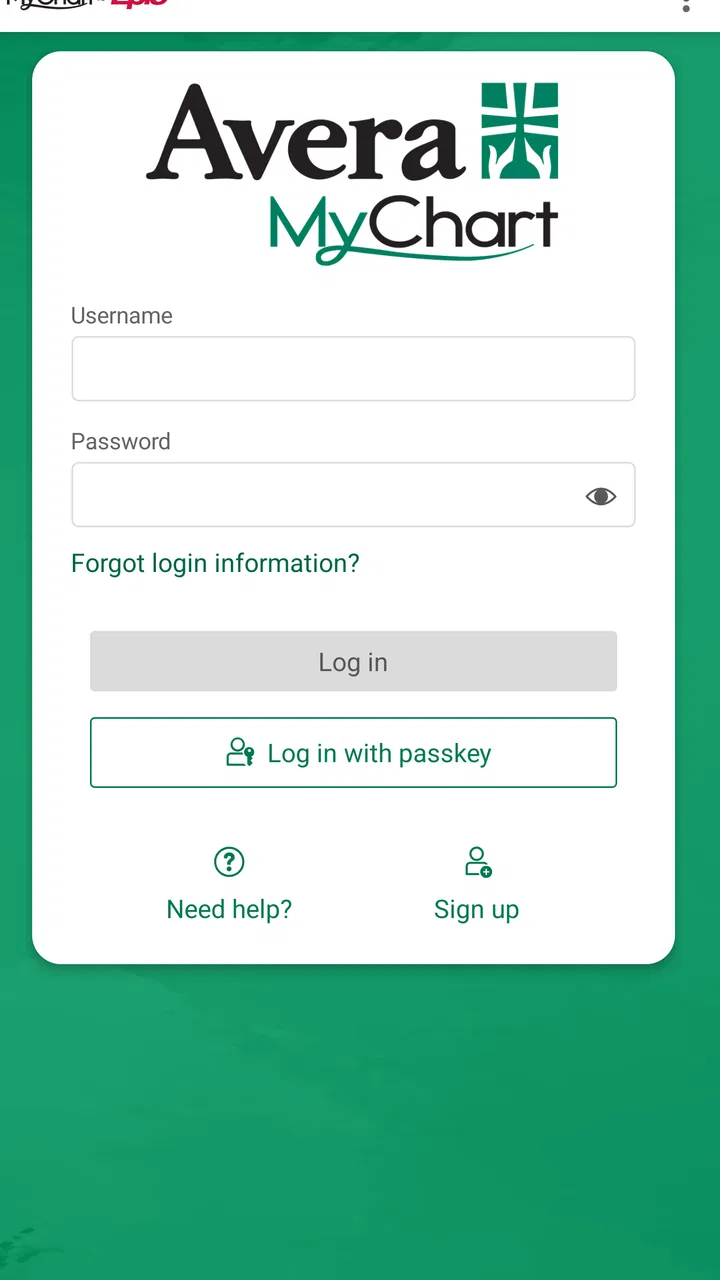
Avera MyChart
- 4.2
- Rating
- 10.00K
- Installs
- Free
- Price

 Analysis by App-foxy
Managing healthcare for one person is already enough work; managing it around a household can make every appointment, message, insurance detail, and test result feel scattered. Avera MyChart is designed to bring Avera medical records and health insurance information into one secure online space. I found it most useful as a practical access point rather than as a replacement for a conversation with a clinician.
The app comes from Avera Mobile Apps and sits in the medical category. It is free to install, rated for Everyone, and currently carries a 4.2 average from around 74 ratings, with over 10K installs. Those figures suggest a modest but established user base, so I would approach it as a focused patient-access tool rather than a broad health platform packed with unrelated services.
How Avera MyChart fits into a shared household routine
The most realistic household use is not handing one person unrestricted access to everybody else’s health information. It is using the app as a personal doorway for each account holder, while family members coordinate around appointments and paperwork in ordinary, privacy-conscious ways.
You May Also Like

 AccuWeather: Weather Radar
AccuWeather Review: A Quick, Clear Forecast for Everyday Decisions
For everyday plans, the best forecast is the one you can understand quickly. AccuWeather makes rain timing, radar, and local conditions easy to act on, with a few trade-offs.

 Hill Climb Racing
Why Hill Climb Racing Still Turns Crashes Into One More Run
A tiny car, a bumpy hill and one more upgrade: Hill Climb Racing keeps resurfacing because its simple chaos makes every near-miss feel personal.

 AliExpress - Shopping App
AliExpress Makes Global Shopping Feel Personal, but Shoppers Bear the Risk
AliExpress turns a global marketplace into a pocket-sized discovery engine. Its reach is useful, its shopping loop compelling, and its trade-offs easy to miss.

 Lords Mobile: Kingdom Wars
Lords Mobile Is a Kingdom-Building Routine, Not a Quick Match
A case-by-case verdict on the building, battles, device demands, and social commitments that make Lords Mobile rewarding for some players and exhausting for others.

 PDF Scanner app - TapScanner
TapScanner Makes Paperwork Easier to Capture, Check, and Share
TapScanner makes scanning with a phone feel less like a rescue operation and more like a dependable step in getting work done. Its capture tools are useful, though not flawless.

 Block Blast!
 Shows How Much a Puzzle Game Can Leave Out
A quiet grid game shows why puzzle players increasingly value instant clarity, repeatable skill and low-pressure play—and where the genre still needs to catch up.
More From Our News Desk
View All News


Imagine a parent preparing for a child’s appointment while also checking an insurance detail for themselves. The useful part of having Avera information available online is that the parent can review what belongs to their own account before making a call or leaving home. If another family member needs access, that person should use their own appropriate account or the access arrangement provided through Avera, rather than treating a shared phone as a shared medical file.
That distinction matters on tablets and phones used by several people. A device may be communal, but medical information is not automatically communal. I would avoid leaving the app open in a kitchen, living room, or car, especially when messages, records, or insurance details are visible. The convenience of quick access is valuable only when it does not turn into accidental disclosure.
For a couple coordinating care, the app can be useful as a reference point before a call: one person can check their own information, note the relevant date or document, and then discuss the practical next step with the other person. It is less appropriate as a substitute for clearly separated accounts. The household benefit comes from better coordination, not from merging everyone’s identity into one login.
What I would do before installing it on a family device
I would first decide who the device belongs to and who may physically see its screen. On a personal phone, I would keep the app tied to that person’s normal device security. On a shared tablet, I would be more cautious and make sure the app is not left displaying sensitive pages after use.
I would also clarify whose information is being managed. A parent may be helping a child, or one adult may be assisting another relative, but those situations involve account boundaries that should be respected rather than guessed. Avera MyChart is best treated as an individual patient portal with household coordination around it, not as a family dashboard that everyone can freely browse.
This is one of the app’s practical trade-offs. A dedicated portal can reduce the need to search through emails or paper documents, but it also concentrates sensitive material in one place. I prefer that arrangement when the person using it is comfortable with basic device privacy. If several people regularly unlock the same device, a separate personal phone or a more deliberate sign-out habit may be the better choice.
Setup is simple in concept, but identity matters
The first hurdle is not learning a complicated interface; it is making sure the right person is entering the right account information. Medical portals depend on identity and account accuracy, so rushing through setup on behalf of somebody else can create confusion later. I would install the app for the actual patient, follow the account process carefully, and keep personal details separated from another household member’s information.
The current version is 11.7.3 and requires iOS or Android 11 or newer. That requirement is worth checking before planning to use an older spare phone as a household health device. A device that cannot run the current app can turn an otherwise straightforward plan into a last-minute browser or phone-call workaround.
I would also keep the operating system reasonably current and use the device’s normal lock screen. That is not a special Avera feature; it is simply sensible protection for any application containing health and insurance information. I would not rely on the fact that the content rating is Everyone as a sign that the information itself is intended for children or open family access. The age label describes the app’s general suitability, not permission to view another person’s records.
One useful setup habit is to decide in advance how the app will be used during an appointment. If the patient will need to show a detail to a caregiver, it is better to agree on that moment than to leave the account open for someone else to inspect later. If the patient is using a shared device, I would close the app after checking information and return the device to its normal home screen.
Keeping accounts separate without making coordination difficult
Household coordination often fails because people mix up whose appointment, insurance question, or message they are discussing. My approach would be to say the patient’s name out loud before opening the app, especially when several relatives receive care through the same health system. That small pause helps prevent the wrong person’s information from becoming the basis for a phone call or appointment plan.
I would also avoid saving screenshots of medical records or insurance details into a shared photo library. Screenshots can be convenient for a quick reference, but they are easy to overlook later and may appear in places other household members can browse. Using the app directly for the moment you need the information keeps the trail more controlled.
Another practical boundary is communication. If one family member is helping another, the helper can assist with navigation or preparation, but the patient should remain the person who decides what information is shared. That is particularly important when a teenager becomes more independent or when an older adult wants support without giving up control of every detail.
Where it helps before and after an appointment
Before an appointment, I see the strongest value in reducing preparation friction. Instead of hunting through a filing cabinet or an old message thread, the patient can use the portal as the starting point for the Avera information already associated with their care. That can make a short conversation with a caregiver more organized: which appointment is coming up, what question needs answering, and whether an insurance detail needs attention.
After an appointment, the same central access can help a patient return to the information when they are calmer and have time to read it. This matters in households where one person drives another to care but is not present for every part of the visit. The patient can review their own information later and choose what to discuss, rather than relying entirely on memory.
I would not treat the app as an emergency channel. If a situation feels urgent or dangerous, a medical portal is the wrong place to wait for help. Avera MyChart makes sense for managing access to routine health information and insurance details; it should not replace immediate medical assistance or a direct call when timing matters.
It is also not the ideal tool for someone who wants a general wellness tracker, exercise planner, medication reminder system, or cross-provider health organizer. Its purpose is narrower and more useful for people whose care and insurance relationship are connected to Avera. If your main need is broad health journaling across unrelated providers, another type of app may suit you better.
Trust, age, and assisted use
The Everyone rating makes the app broadly suitable from a content perspective, but healthcare access still needs age-appropriate judgment. A child may be able to hold the phone and open an app, yet that does not mean they should independently manage sensitive records or insurance information. For younger users, an adult should think carefully about what assistance is appropriate and what account boundary applies.
Teenagers present a different situation. They may want more independence, while parents may still be coordinating transport, appointments, or paperwork. I would treat that as a conversation about trust and responsibility, not simply a technical question about whether the app can be placed on a phone. The patient should understand what is being accessed and who can see it.
Older adults may appreciate having information available without making a separate trip or searching through folders, but the app should not become a source of pressure. If someone is uncomfortable with smartphones, a helper can sit beside them and explain what is happening without taking over every decision. The best household arrangement is one that preserves the patient’s control while making practical support easier.
This is where Avera MyChart differs from a paper folder. Paper can be physically handed to a trusted person, while a digital account requires more attention to screens, locks, sessions, and device ownership. The digital approach is faster to consult and harder to misplace in a drawer, but it demands better habits from everyone who touches the device.
How it compares with calling, paper records, and a browser
Compared with calling a clinic for every basic question, the app can save effort by giving patients a direct place to begin. That is especially helpful when a household is coordinating around work, school, transport, or an insurance discussion and cannot conveniently make repeated calls.
Compared with paper records, the advantage is portability. A patient does not need to remember which folder contains a particular document before leaving home. The disadvantage is that access depends on a compatible device, a working connection, and the user’s ability to navigate the account. Paper remains easier for someone who dislikes phones or wants a physical packet to bring to a caregiver.
Compared with using a mobile browser, a dedicated app feels more natural for repeated access. It has a permanent place on the phone and avoids opening a browser tab each time. Still, I would not install it merely because an app exists. If a patient checks information only once in a long while and is more comfortable with a browser or a phone call, that familiar method may create less friction.
The important comparison is not whether the app has more buttons than another option. It is whether Avera MyChart matches the patient’s actual relationship with Avera. For Avera patients who want mobile access to their records and insurance information, the focused design is a strength. For someone managing care across several unrelated systems, it may become one portal among many rather than a complete solution.
Small habits that make the app more useful
I would use it as a preparation tool, not just an information cupboard. Before contacting a clinic or discussing an insurance issue with a family member, I would open the relevant area, identify the question, and write down what needs clarification without copying sensitive details into a shared note. That keeps the conversation focused and reduces the chance of mixing up two people’s information.
I would also avoid exploring the app while distracted in public. A quick glance on a bus or in a waiting room may seem harmless, but medical and insurance screens can be visible to people nearby. Waiting until the screen can be viewed privately is a better trade-off than gaining a few seconds of convenience.
For caregivers, I would establish a repeatable routine: the patient opens the account, the helper assists only with the agreed task, and the patient closes the session afterward. This is more respectful and safer than passing around an unlocked phone. It also makes it easier for the patient to remain familiar with their own healthcare information.
Finally, I would keep expectations realistic. An app can organize access, but it cannot resolve an unclear bill, interpret a worrying symptom, or replace a clinician’s explanation. The best result comes when the patient uses the information to ask better questions and then chooses the right human channel for the answer.
Who should choose it, and who should skip it?
I would recommend Avera MyChart to an Avera patient who wants a convenient mobile route to personal medical records and health insurance information. It is particularly suitable for someone who regularly coordinates appointments with a partner, parent, adult child, or caregiver but still wants each person’s information kept within the correct account boundary.
I would also recommend it to a patient who is tired of depending entirely on paper or repeated phone calls. The free price removes an obvious financial barrier, and the app’s focused purpose makes sense when Avera is the main care relationship being managed.
I would hesitate to recommend it to someone with an older device that cannot meet the minimum operating-system requirement, or to a household planning to use one open account for everyone. I would also point people toward a different solution if their priority is comprehensive health tracking across multiple providers, fitness data, or general wellness coaching. This is a medical access app, not an all-purpose health manager.
With a 4.2 average and a current version of 11.7.3, it appears to be a maintained option for its intended audience, while the relatively small review footprint means I would still judge it by personal fit rather than popularity alone. The most important question is whether it supports the way your household already handles Avera care without creating new privacy confusion.
My household verdict
I came away viewing Avera MyChart as a useful, deliberately focused tool. Its strongest role is helping an individual reach Avera medical records and insurance information without sorting through paper or making every inquiry by phone. In a household, that benefit grows when people coordinate around the app while keeping account ownership clear.
My main recommendation is to treat convenience and privacy as equal parts of the setup. Use the correct patient account, keep shared-device habits deliberate, involve family members only as much as the patient wants, and remember that the app is for access and preparation rather than urgent care or professional interpretation.
For an Avera patient who values mobile access and can maintain sensible device boundaries, I would install it. For a family seeking one unrestricted medical dashboard, or for someone who needs a broad multi-provider health organizer, I would choose a different approach. Within its proper lane, though, this free medical app offers a practical way to make everyday healthcare coordination less dependent on paper, memory, and repeated calls.
FAQs for Avera MyChart
01What is Avera MyChart used for?
Avera MyChart is a patient portal that lets you manage many healthcare tasks from an Android or iOS device. After signing in, you can review medical information, request or manage appointments, message participating Avera care teams, view test results, check medications, and access billing-related details. The exact features available may depend on your provider, location, and account setup.
02How do I create an Avera MyChart account or sign in?
You generally need an activation code from Avera, information that verifies your identity, or an invitation from a participating clinic to create an account. Existing users can sign in with their MyChart credentials through the app. If you forget your password, use the recovery option rather than creating a second account. For access problems, contact Avera MyChart support or your healthcare organization.
03Can I use Avera MyChart to schedule appointments and communicate with my doctor?
In many cases, Avera MyChart allows you to request or schedule eligible appointments, review upcoming visits, and receive reminders. You may also be able to send secure messages to participating providers, although messaging is not intended for emergencies and replies may not be immediate. Appointment types, available times, and messaging access vary according to your clinic and the care team involved.
04Can I view test results, prescriptions, and medical records in the app?
The app can provide access to portions of your electronic health record, including selected laboratory results, visit summaries, medications, allergies, immunizations, and other clinical information. Results may appear at different times depending on the test and Avera’s release policies, and some information may require discussion with a clinician. Always review important results with your healthcare professional before making treatment decisions.
05Is Avera MyChart safe, and what should I do if I have a medical emergency?
Avera MyChart is designed for private healthcare communication and typically uses account authentication and secure connections, but you should still protect your password, enable device security, and avoid signing in on shared devices. The app is not an emergency service. If you have severe symptoms or believe you are in immediate danger, call local emergency services or go to the nearest emergency department instead of sending a MyChart message.
Pros
- Secure access to test results
- visit summaries
- and medical records in one place.
- Appointment scheduling and reminders make it easier to manage upcoming care.
- Prescription refill requests can save time compared with calling the clinic.
- Direct messaging supports convenient communication with participating care teams.
- Proxy access may let parents or caregivers manage another person’s records.
Cons
- Features depend on whether your healthcare provider uses the Avera system.
- Some results may be delayed until a clinician reviews or releases them.
- The app may require identity verification that feels lengthy during setup.
- Messaging is not intended for urgent symptoms or emergency medical situations.
- Older devices or outdated operating systems may experience compatibility issues.

Avera MyChart
Gallery